
Mainframe data file ingestion provides the following features:
Schema crawl
Data Crawl
Append Mode
CDC and Merge
Creating Mainframe Data File Source
For creating a DFI source, see Creating Source. Ensure that the Source Type selected is Structured Files (CSV, Fixed-width, Mainframe Data Files).
Configuring Mainframe Data File Source
For configuring a DFI source, see Configuring Source.
Creating Table and Crawling Metadata
Click the Source Settings icon.
In the File Mapping section, click Add Entry to add a folder as a table.
Configure the following table details:
Table: Table name.
Hive Table Name: Name of the Hive table that holds the crawled data.
Source Path: Folder path of the table. This is relative to the source base path.
Relative Target HDFS Path: Target HDFS path. This is relative to the target base path.
Include/Exclude Files From Directory: Regex pattern to include or skip files.
Ingest sub-directories: Specifies whether to crawl the files in the recursive structure of the specified source path.
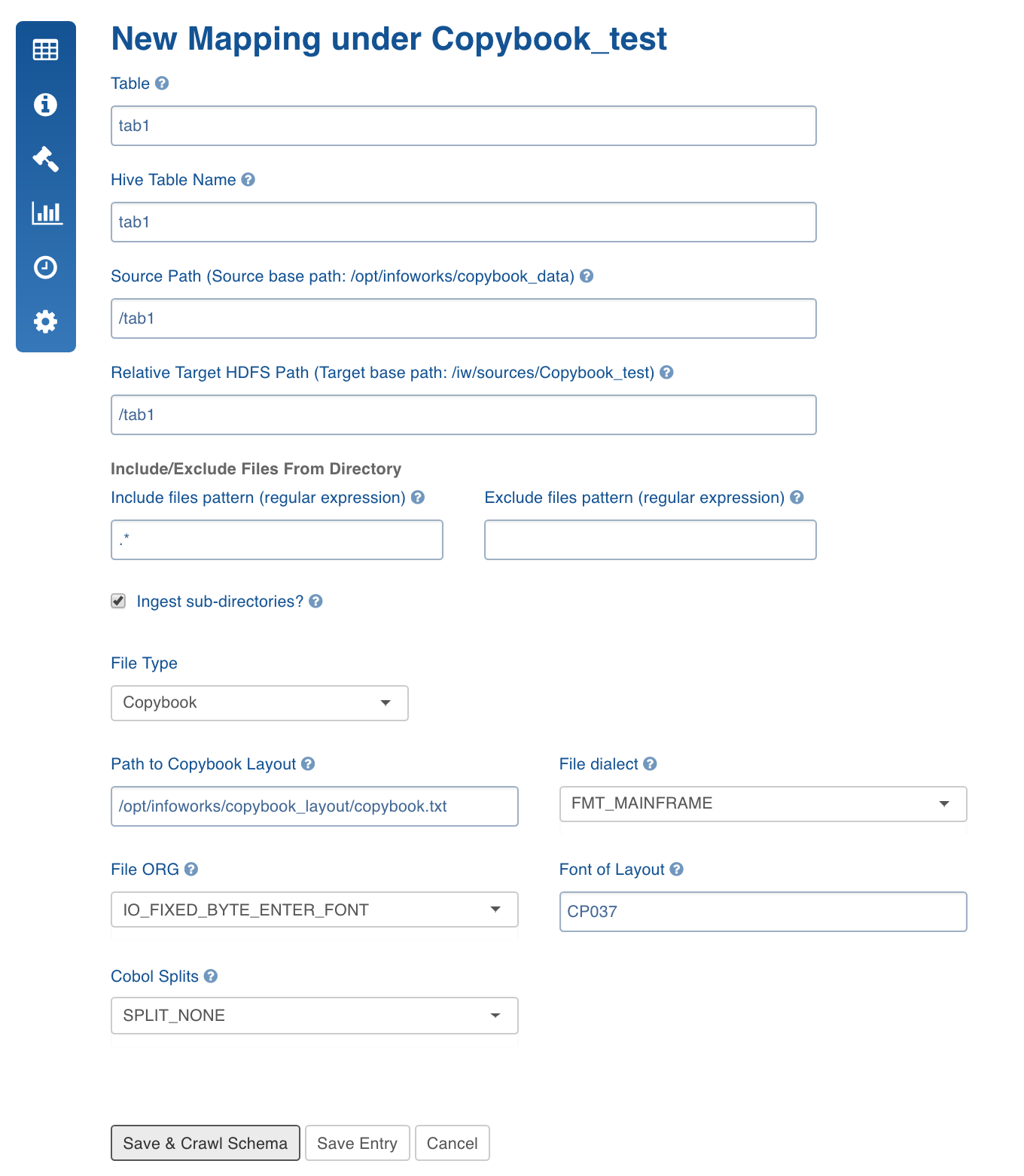
File Type: Type of structured file. Select Copybook.
Path to Copybook Layout: Location of the Copybook layout file which defines schema for the table.
File Dialect: Cobol dialect used. The default value is Mainframe.
File ORG: The format with which the records are organized in the files.
Font of Layout: Font or character set.
Cobol Splits: Option to split records when the data includes hierarchy.
Click Save and Crawl Schema. The Edit Schema page is displayed.
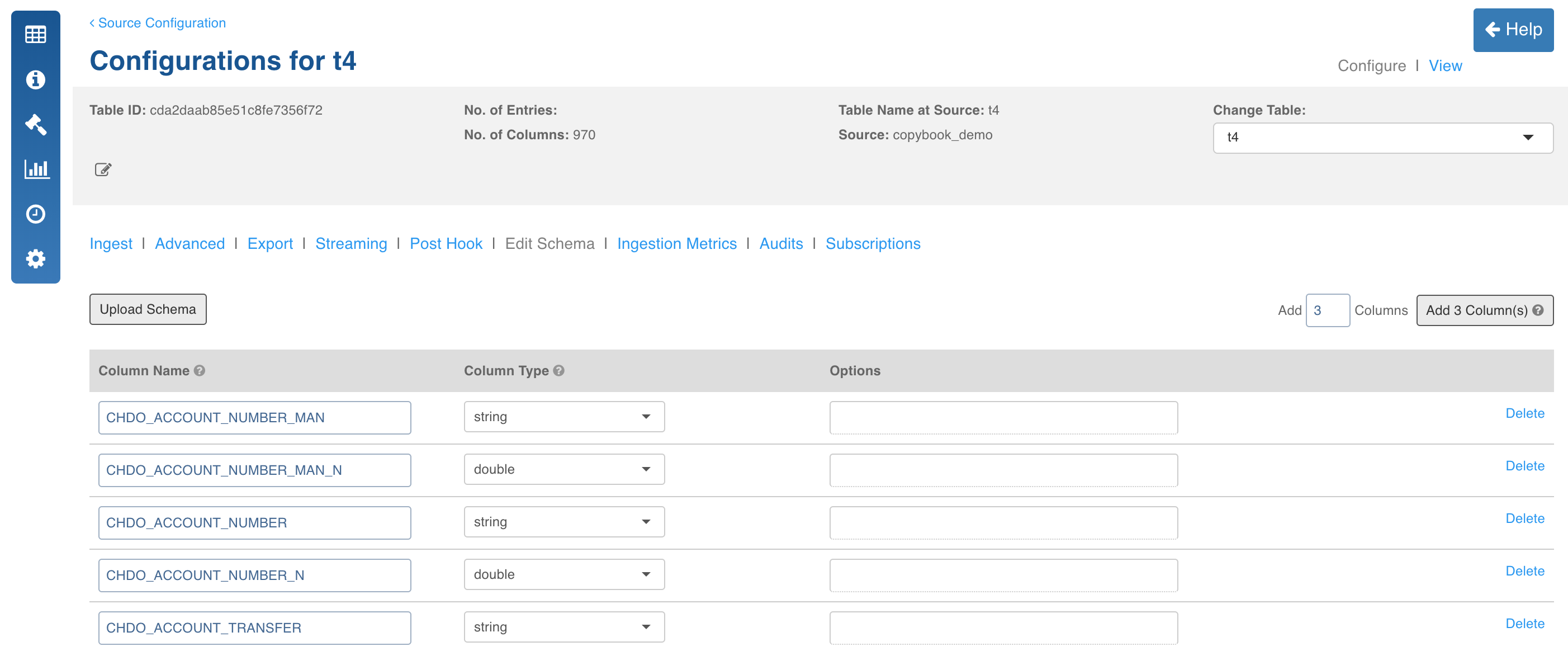
Edit the schema and click Save Schema.
Configuring Mainframe Data File for Ingestion
For configuring a Fixed-width source for ingestion, see Configuring Source for Ingestion.