
Following are the steps to truncate, delete, recrawl and reorganize the table data:
In the Source Configuration page, click the Actions button for the required table.
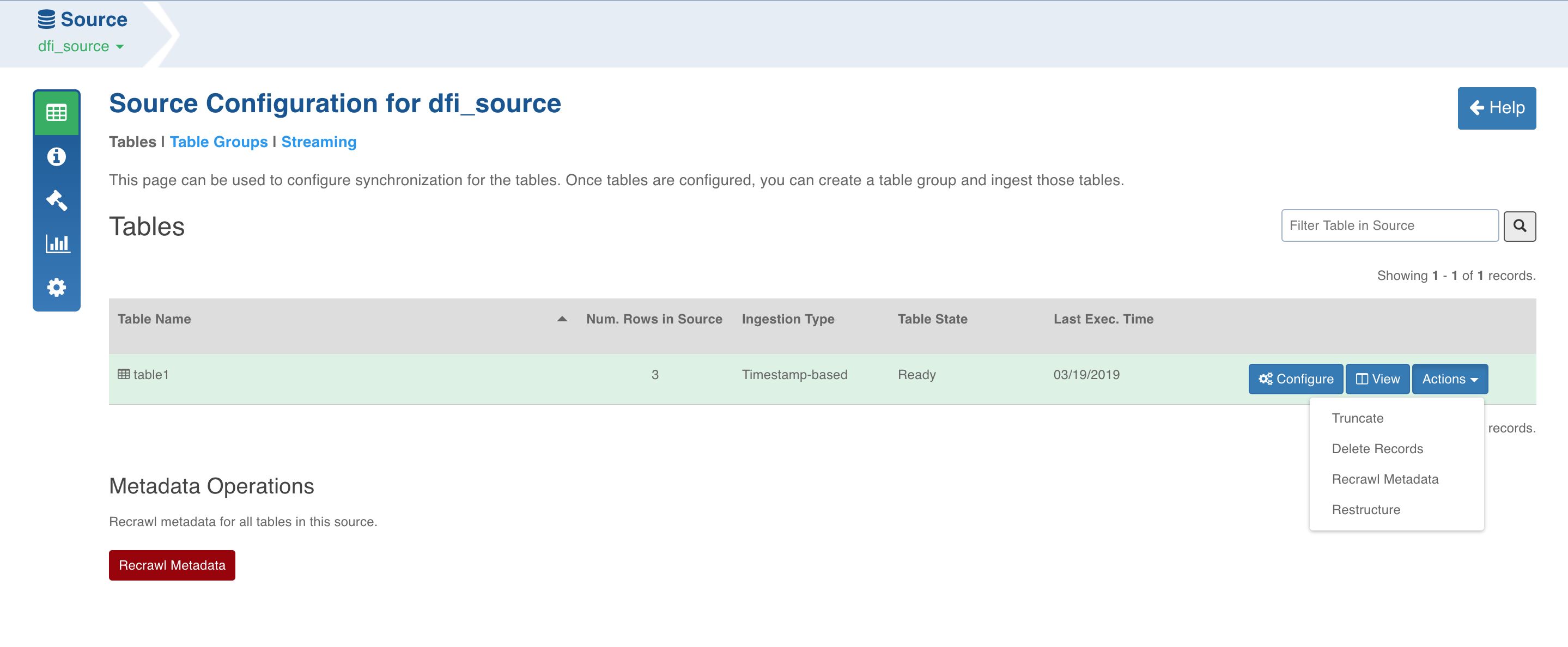
You can perform either of the following:
Click Truncate to delete data from the target and reset the table metadata (row count and last ingested timestamp).
Click Delete Records and specify a select query. This query will run on the current Hive table corresponding to the DFI table and will delete all the result rows from the current Hive table. This option is disabled if natural key is not selected.
Click Recrawl Metadata to refresh the column list based on the schema from the source system.
NOTE: This option does not update the row count and last ingested time stamp on the table.
Click Restructure to reorganize the table data based on the configurations given for the job.
Click the Recrawl Metadata button in the Metadata Operations section to recrawl metadata for all the tables.
NOTE: This option does not update the row count and last ingested time stamp for the tables.
Click Fetch New Tables to crawl the new tables added to the source schema.