
Software and Steps
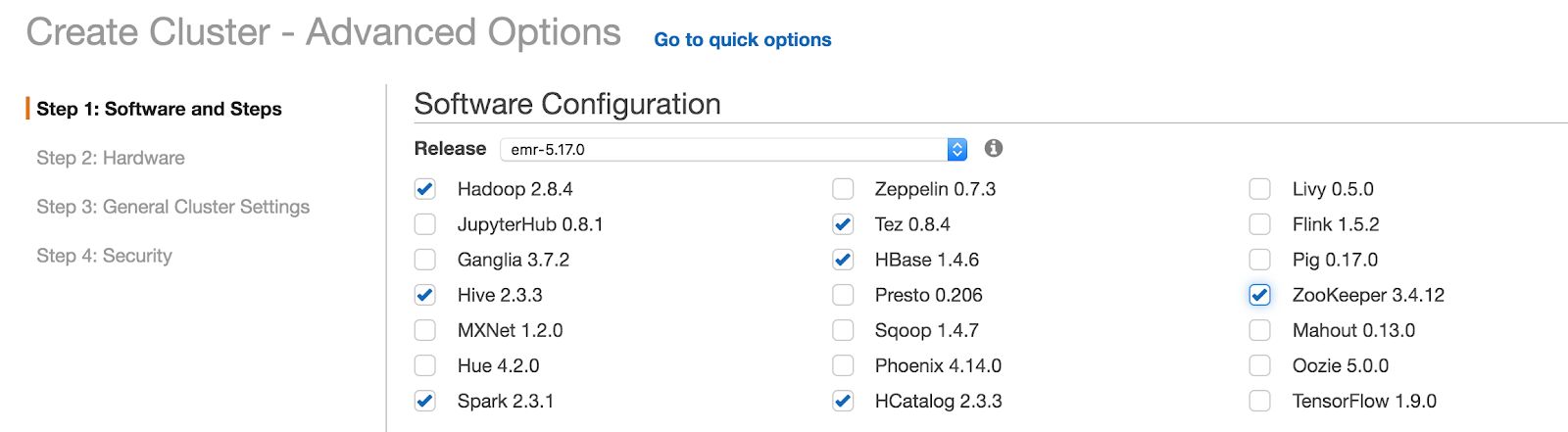
Select the EMR release version as 5.17.0 from drop-down list and select the required applications for Infoworks.
Click Next at the end of the page to proceed to the next blade.
Hardware
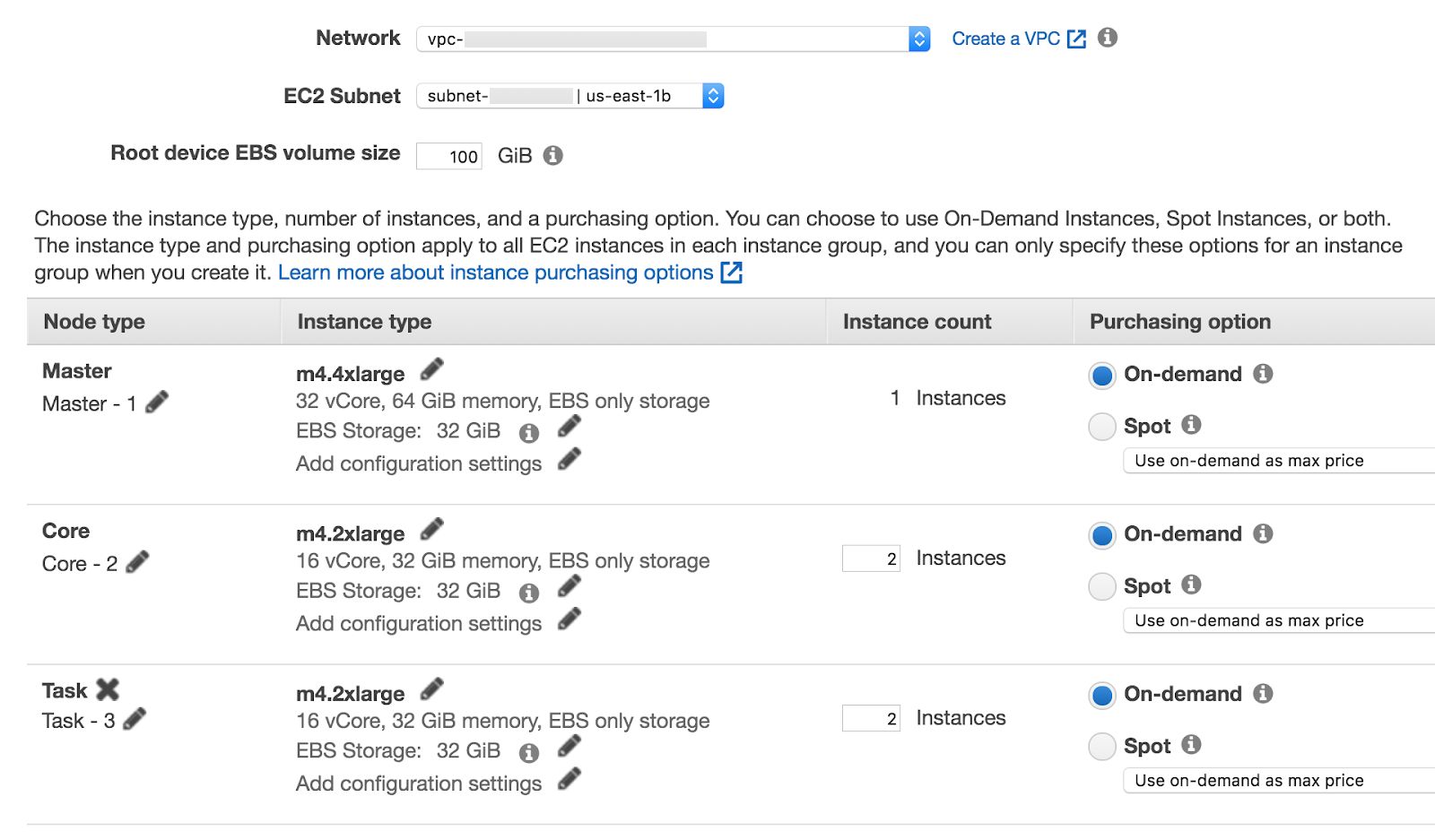
The hardware blade includes the networking, AZ/Subnet and instance type sections.
Select Uniform instance groups for same type of instances and purchasing options for each node type. Other Option - instance fleets for different instance type (mostly used for Spot Instances type).
Select VPC from the drop-down list in the Network section and select the appropriate subnet in the Subnet section.
Root device EBS volume size - Set the root device volume from the range of 10-100 GB.
Configure the machine type of Master and Core nodes. Infoworks recommends minimum of m4.4xlarge for Master Node and m4.2xlarge for Core nodes and Task nodes.
Following are the recommended Minimum Machine type for Master, Core and Task nodes.
M4.4xlarge or similar of 32 vCPUs with 64GB of RAM for Master node.
M4.2xlarge or similar of 16 vCPUs with 32GB of RAM for Core and Task nodes.
Click Next to proceed with General Cluster Configurations blade.
General Cluster Configurations
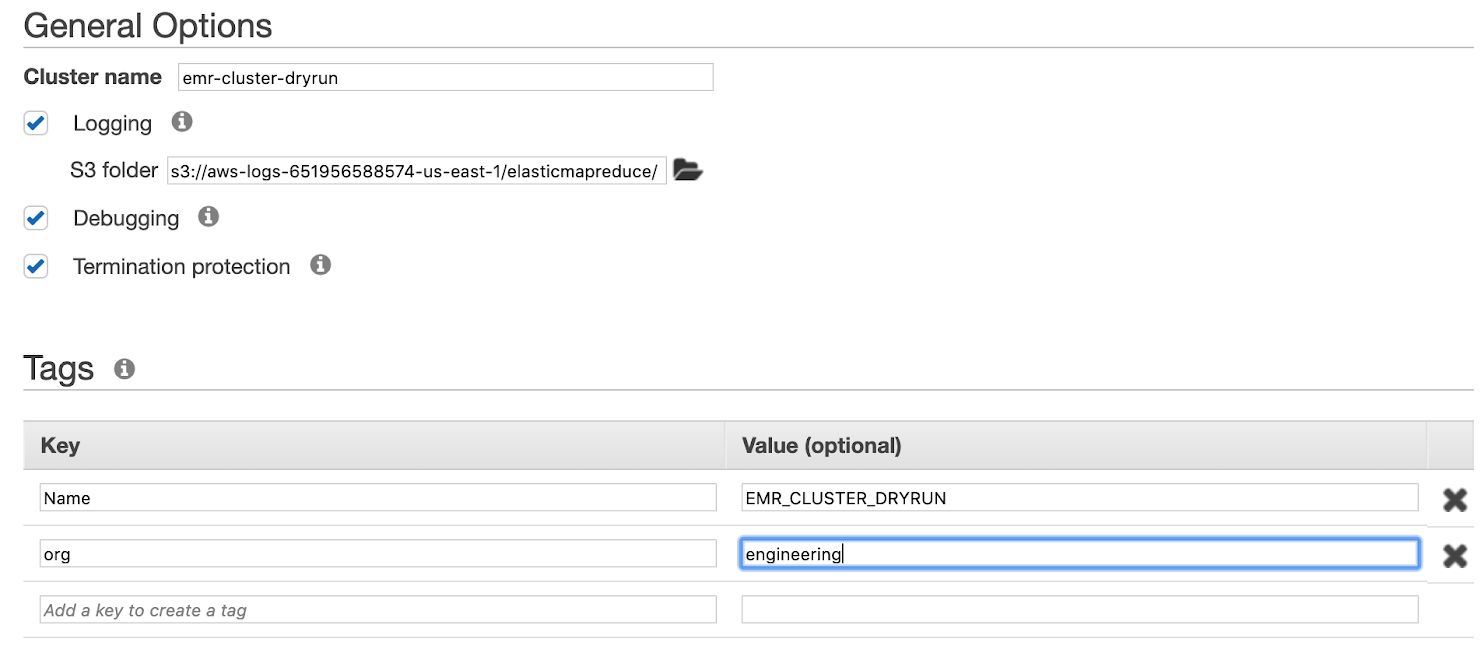
Provide the naming convention to the cluster in Cluster name section.
Termination protected - This option avoids accidental deletion of the instances.
Create tags for the resources in the Tags section.
Click Next to proceed to the final blade, Security.
Security
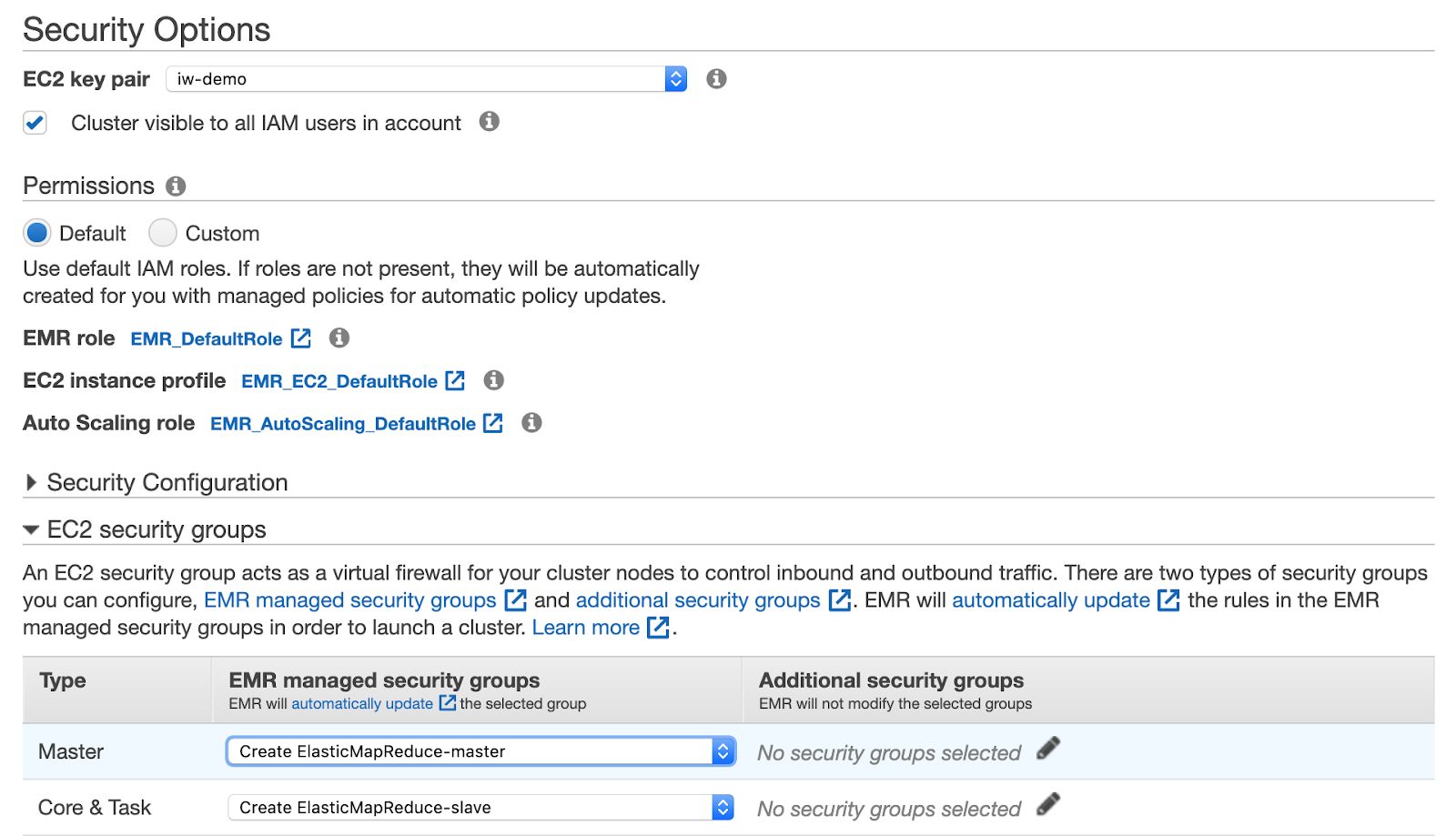
In the Security options section, select the respective EC2 key pair to access the cluster through SSH.
Select default for Permissions (default) and EC2 Security Group to be automatically created/updated by EMR.
Click Create Cluster.
Wait for the cluster to be created.
To deploy Infoworks edge for EMR, see Deploying Infoworks for EMR Using Infoworks AMI.