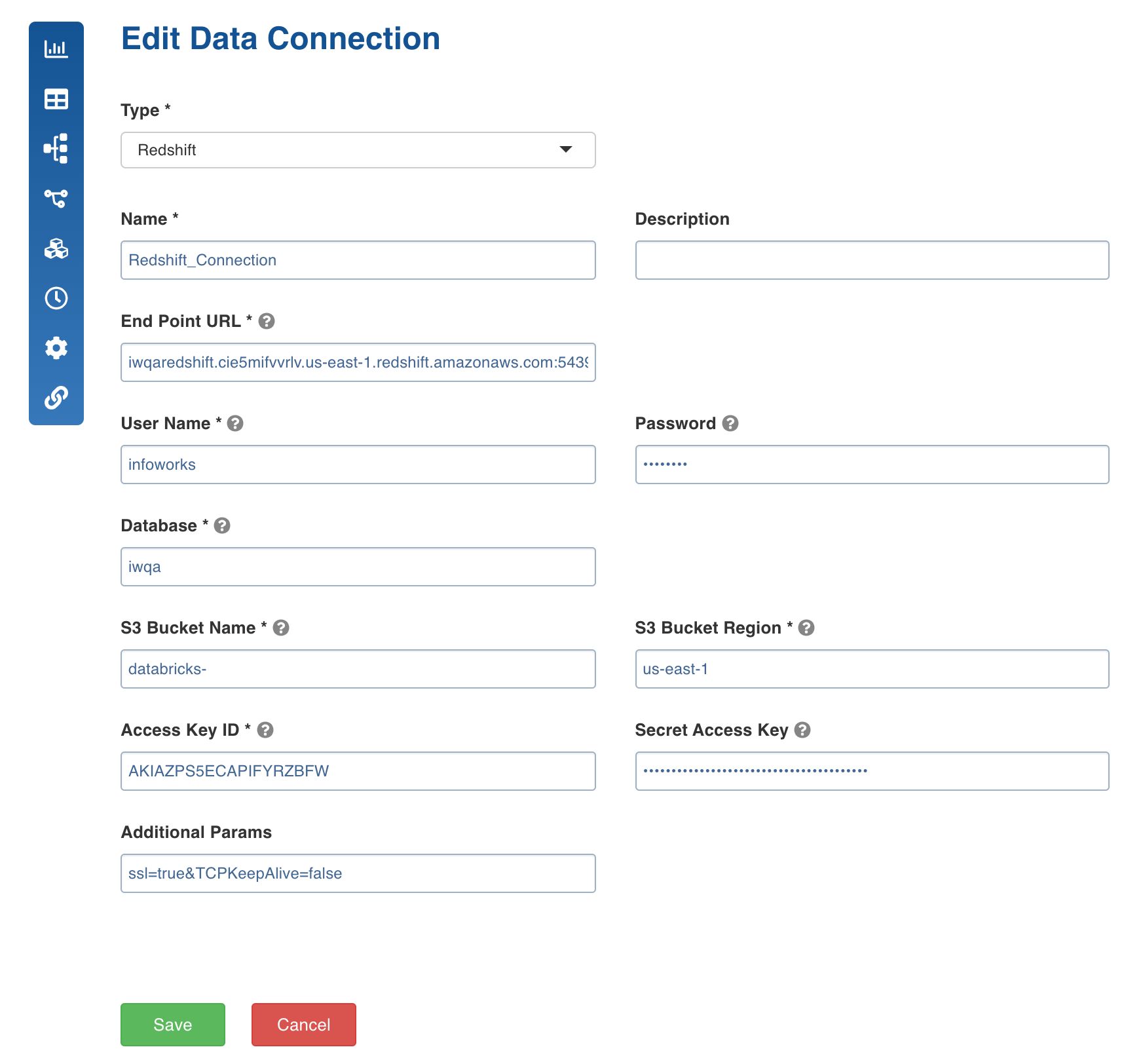
Target data connections feature is used as a template to configure target connections that can be used in pipeline targets within the domain.
Following are the steps to set the target data connections:
Navigate to the required domain and click the Target Data Connections icon.
Click Add Connection.
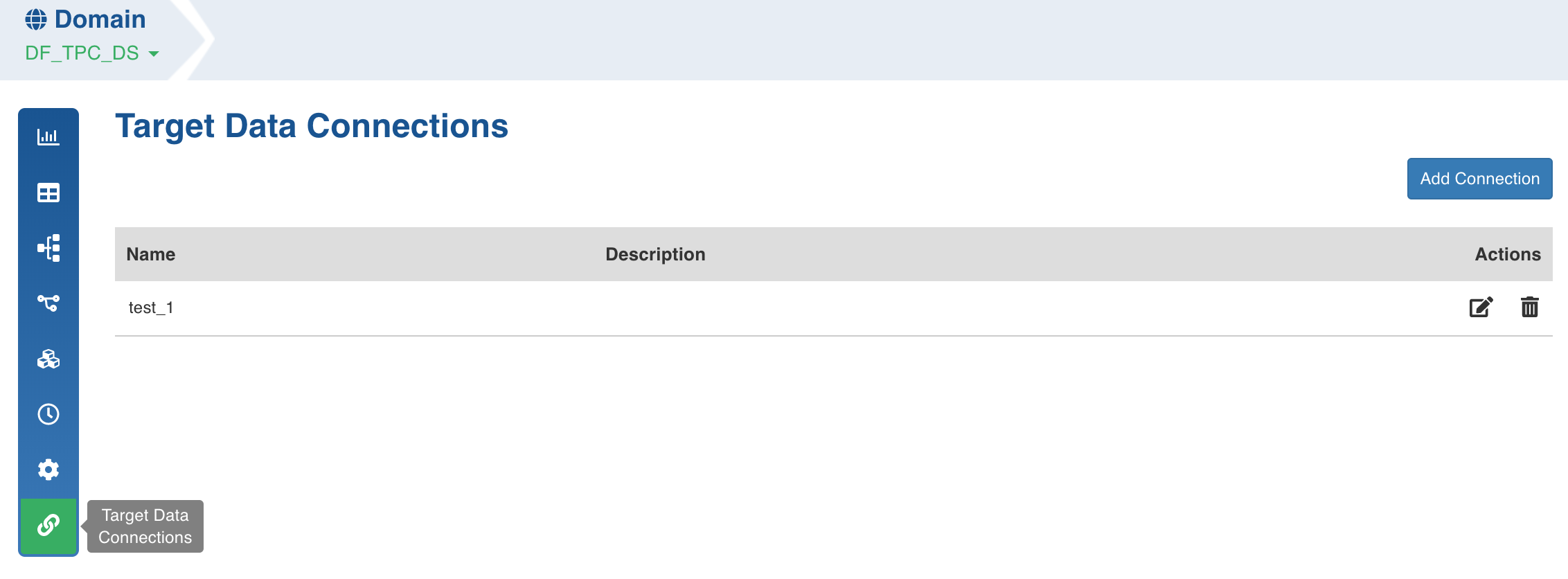
Enter the connection details and click Save. The connection details for snowflake is explained below.
Snowflake Data Connection
Following are the snowflake connection details:
Connection Type: Type of connection. Select Snowflake.
Name: Name for the target data connection. For example, tar_con.
NOTE: The connection name must be unique across the specific domain.
Description: Description for the target data connection.
Account Name: Snowflake Account Name. For example, example_sales.
NOTE: The account name can be with or without region.
Connection URL: Connection URL to connect to snowflake. For example, name.snowflakecomputing.com.
NOTE: The connection URL must not include https://.
User Name: Username of the snowflake account. For example, mark@example.com.
Password: Password of the snowflake account. For example, 123456.
Warehouse: Snowflake warehouse name. For example, sales.
Additional Params: Optional JDBC parameters.
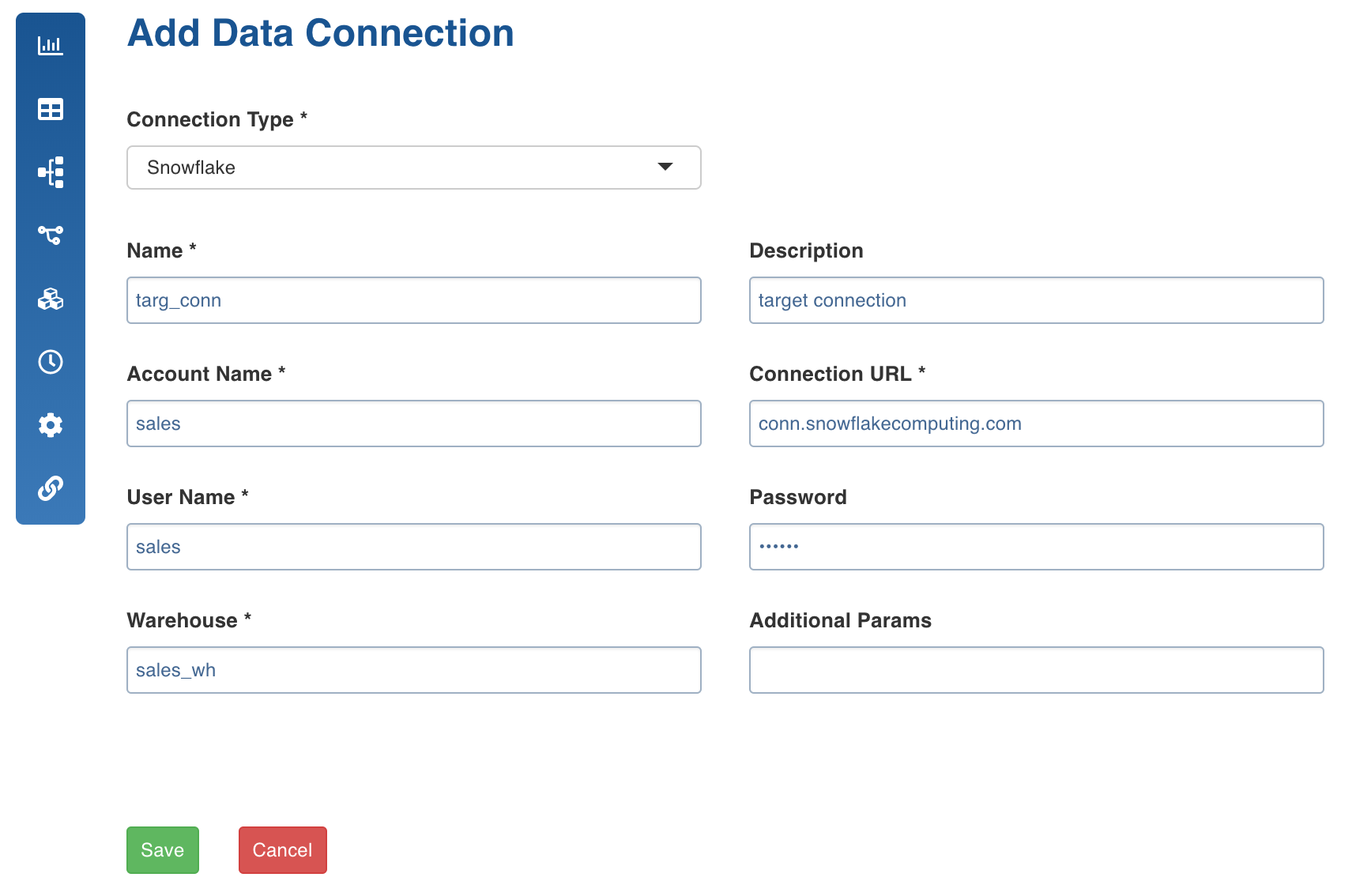
Azure SQL DW Data Connection
Following are the Azure SQL DW connection details:
Connection Type: Type of connection. Select AZURE SQL DW.
Name: Name for the target data connection. For example, azure_con.
NOTE: The connection name must be unique across the specific domain.
Description: Description for the target data connection.
Server Name: Specify a fully qualified server Name. For example, Testingclsfss.database.windows.net
User Name: Username of the Azure SQL DW account. For example, infoworks.
Password: Password of the Azure SQL DW account. For example, Info**123&dw.
Warehouse: Azure SQL DW warehouse name. For example, sales_wh.
Additional Params: Optional JDBC parameters. The value must end with a semicolon. For example, encrypt=true;
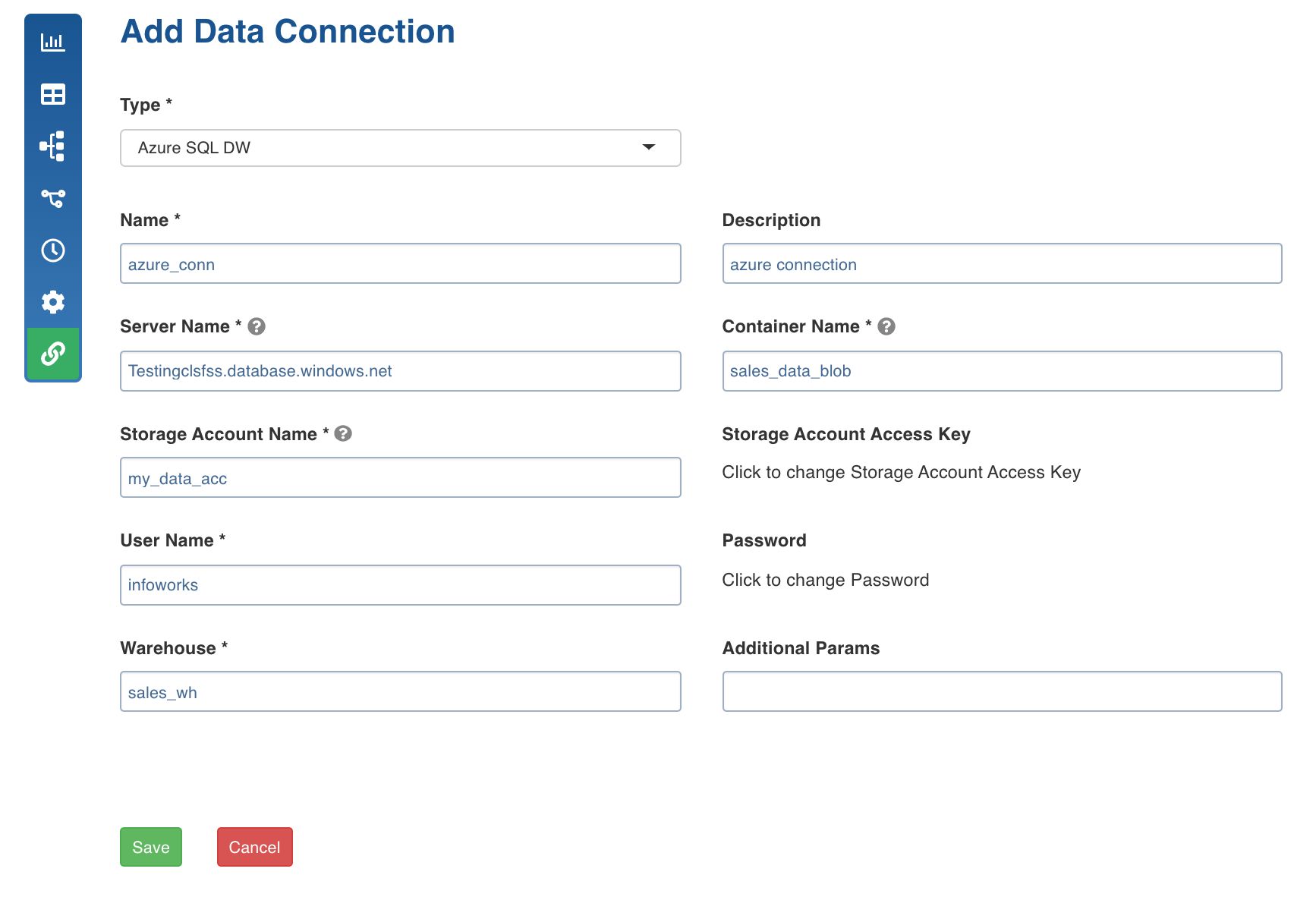
Redshift Target Data Connection
Following are the Redshift connection details:
Type: The type of connection. Select Redshift.
Name: The name for the target data connection. For example, tar_con.
NOTE: The connection name must be unique across the specific domain.
Description: The description for the target data connection.
Endpoint URL: The endpoint URL of the Redshift cluster in the format, <host>:<port>. For example, iwdbredshift.ciasdssdifvrlv.us-east-1.redshift.amazonaws.com:5439
User Name: The user name for the Redshift account. For example, redshift_421
Password: The password for the Redshift account. For example, 123456.
Database: The name of the database created for the cluster.
S3 Bucket Name: The name of the S3 Bucket. For example, _bucket-new. _This S3 bucket will be used as a tempdir for redshift.
S3 Bucket Region: The S3 bucket Region. For example, us-east-1.
Access Key ID: The access key ID of IAM user.
Secret Access Key: The Secret Access Key of IAM User.
Additional Params: The optional JDBC parameters. For example, ssl=true&TCPKeepAlive=false