
Overview
After creating the pipeline using the required sources, nodes, and transformations, the pipeline is ready to be built.
Following are the steps to build a pipeline:
Navigate to the Pipeline Design page and click the Build icon.
Select the Version and click Build Now to build the pipeline version.
You can click the Build Tables Metadata button to enable import of multiple, sequential pipelines with export configuration.
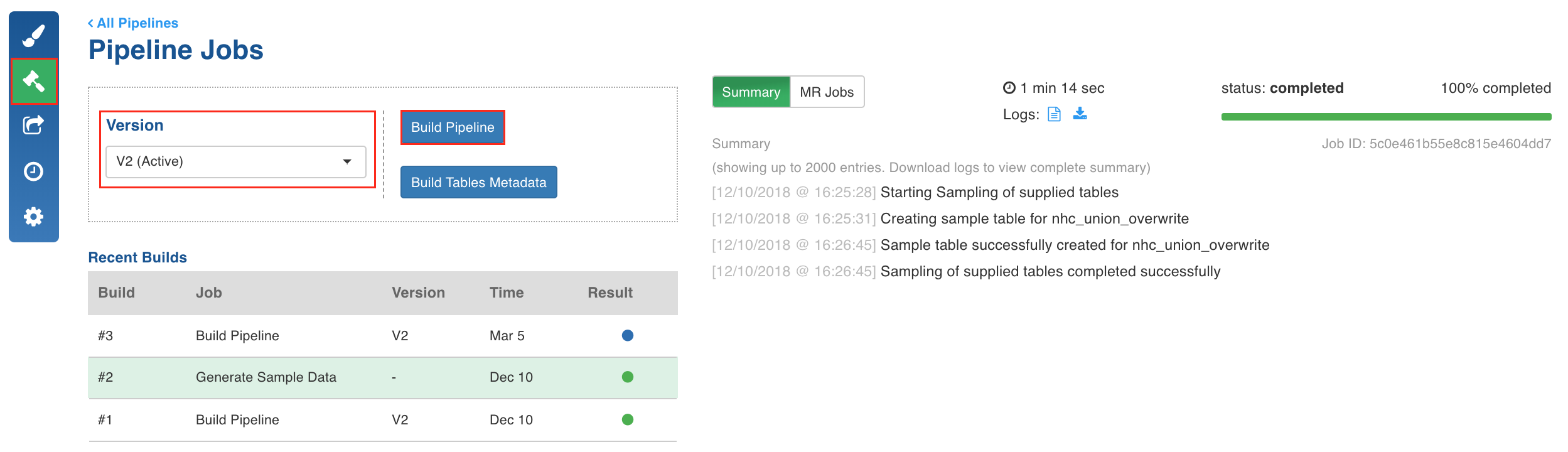
Click any of the existing builds under the Recent Builds section to view the detailed information of the job. You can view the summary. You can also download the logs of the job.