
Segmented ingestion can be used for a table which cannot be crawled at once as a single big table or, which takes a lot of time to crawl on the source database. Segmented load will break a bigger table into smaller chunks. These smaller chunks can be crawled in parallel.
Following are the steps to perform a segmented ingestion:
In the Source Configuration page, click the Configure button for the required table.
Select the required Ingest Type.
Select the Segmented Load Status as Enabled. Once this setting is enabled, you must select the column to perform segmented load.
Infoworks also supports deriving a column to perform segment load on. To derive a column, check the Use substring from field option and you must select the Extract function.
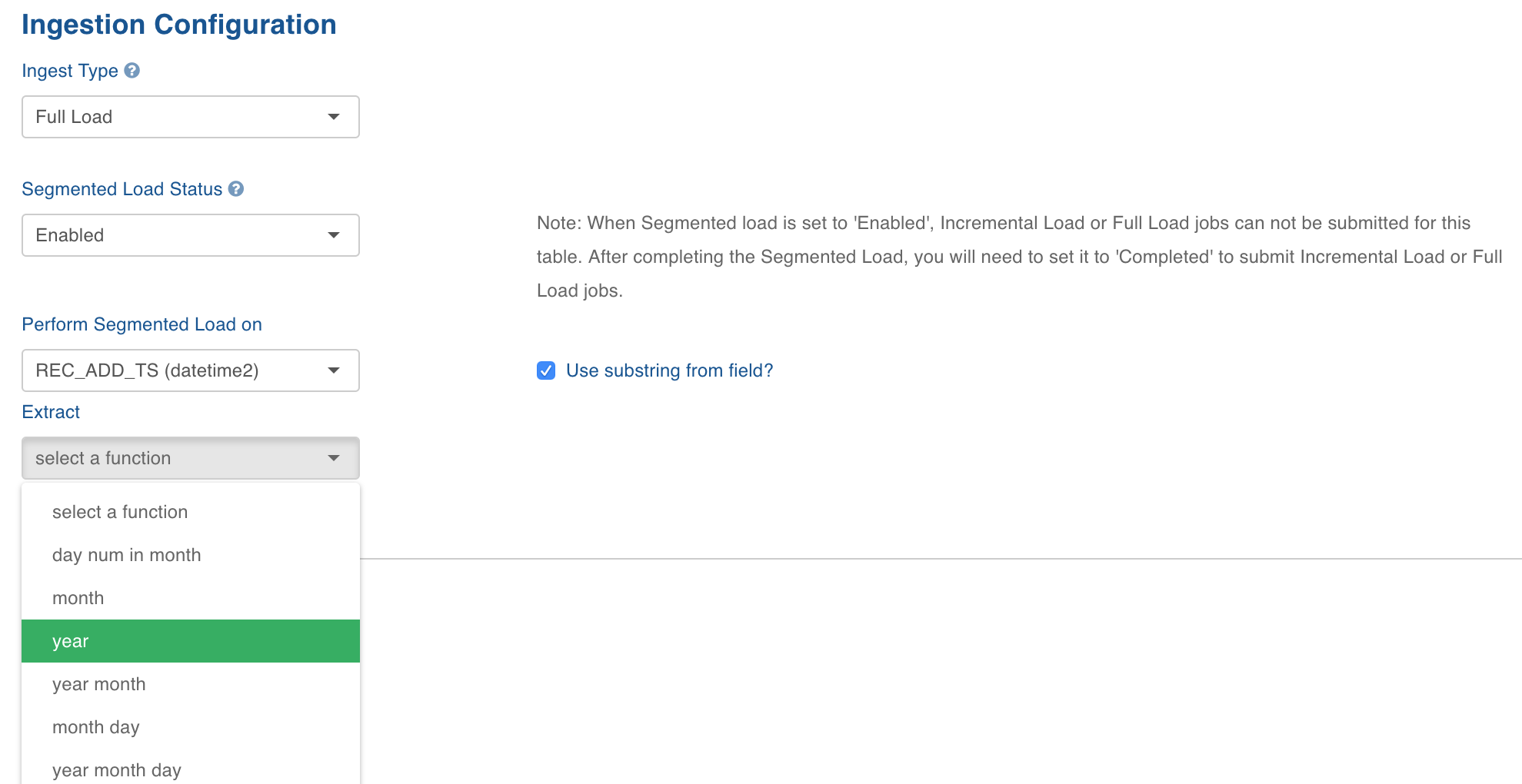
Click Save Configuration.
Click the Configure button for the same table. Click the Seg.Load tab next to the Advanced tab.
In the Table Segments page, perform the following:
Select the segments to be ingested.
Enter Yarn Queue Name if required.
Enter the maximum number of parallel connections to the source in the Max.Connections to Source field.
Enter the maximum number of segments to be ingested in parallel in the Max.Parallel Segments field.
Enter the percentage of connections to be given to each segment in the Connection Quota field. For example, if the Max.Connections to Source value is set to 10, Max.Parallel Segments is set to 2 and Connection Quota is set to 50 then, each segment ingestion job will make 5 connections to the source.
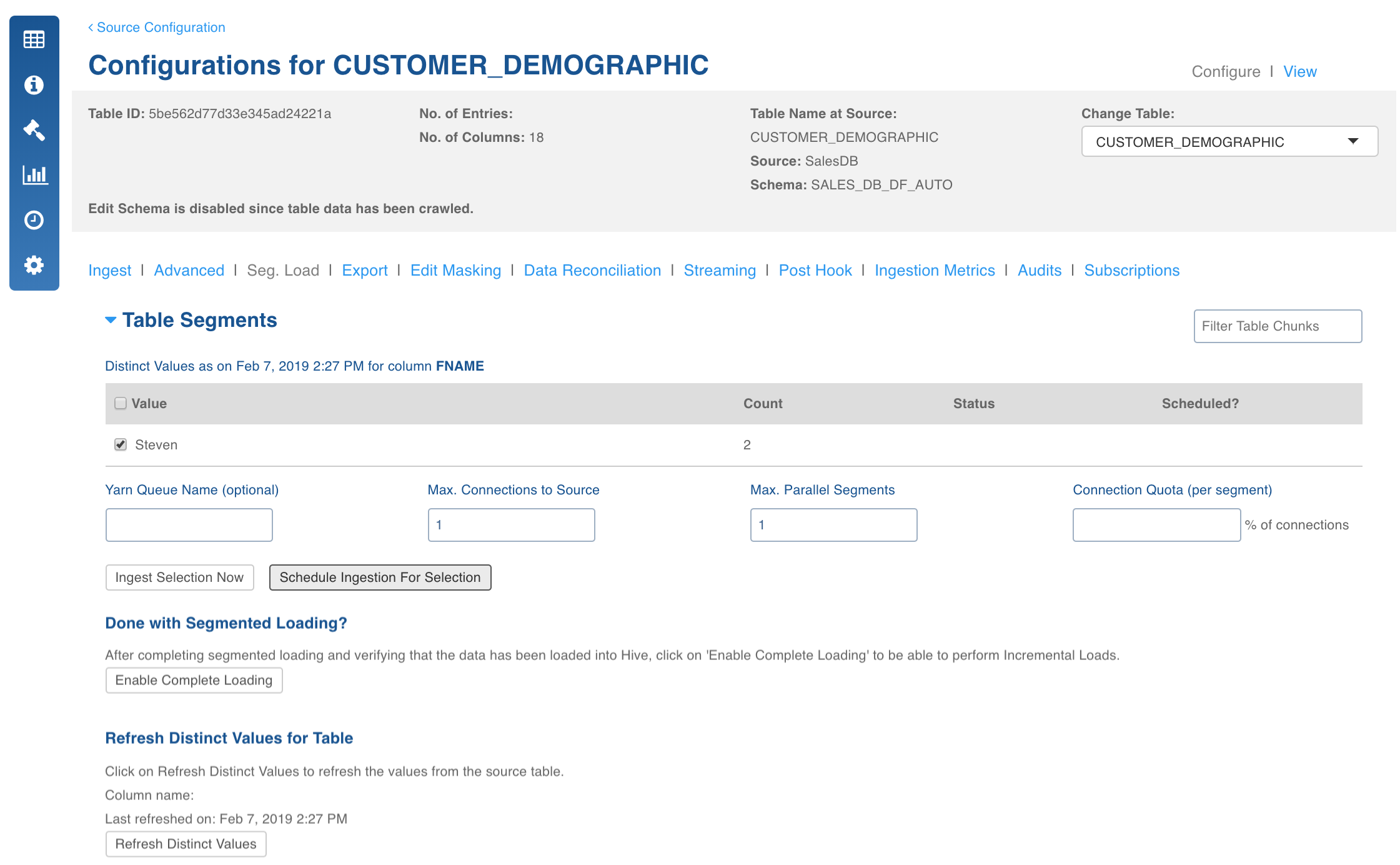
Click Ingest Selection Now to ingest the segmented load immediately.
Click Schedule Ingestion for Selection to schedule the ingestion.
In the Schedule Segmented Load page, perform the following:
Select the values to schedule the segmented load in the Distinct Values section.
Set the schedule Status as Enabled.
The Ingest on option will be displayed. Select the date and time for ingestion.
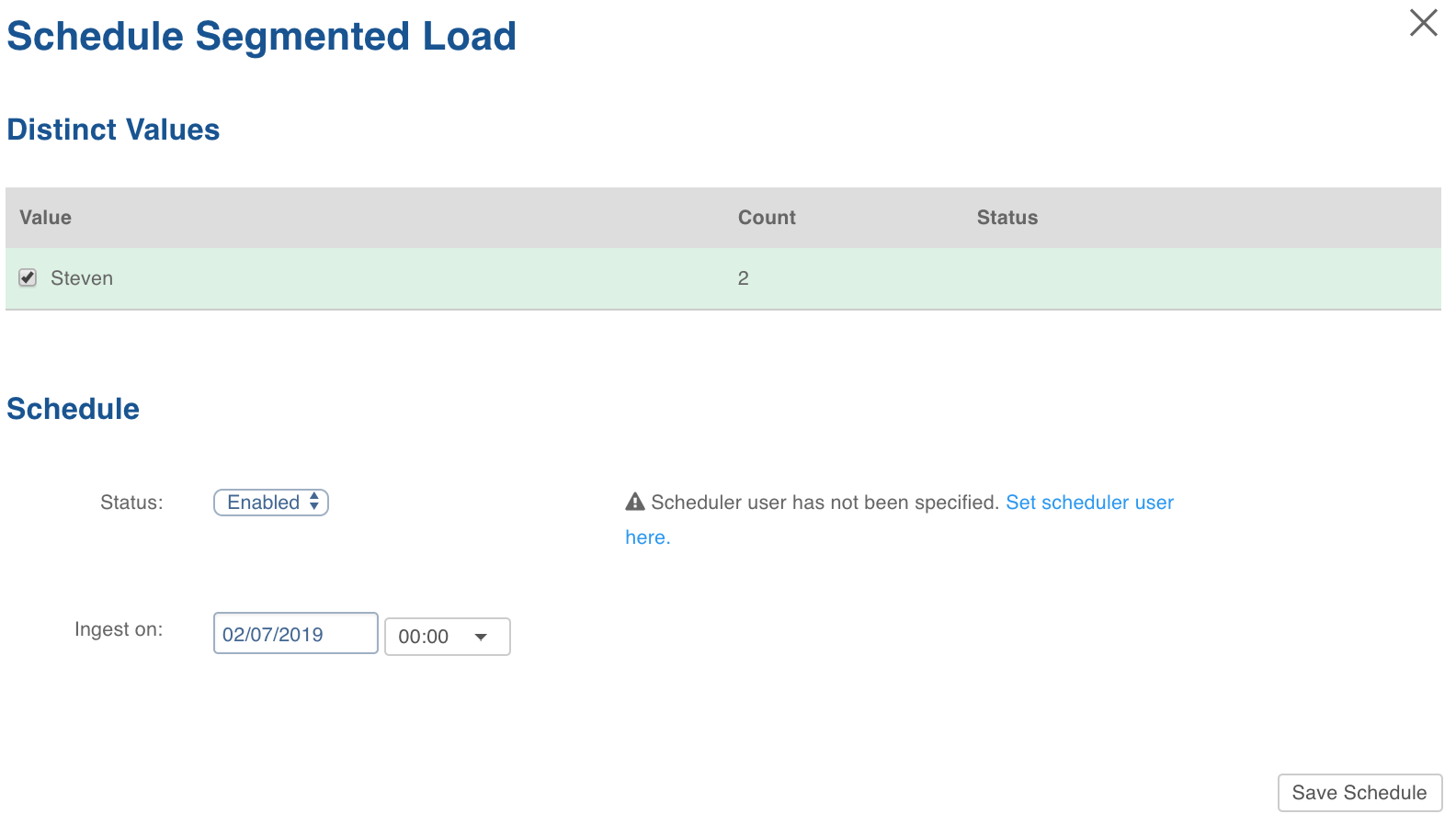
Click Save Schedule.